 7983a3fb49
# Complete Enhancement Package - Major Feature Update

Comprehensive enhancement package for docker-ddns-server including security features, modern authentication, UI/UX improvements, and production-ready deployment features.

## 🔒 Security & Authentication

### IP Blocking System
- Implemented automatic IP blocking after 3 failed authentication attempts within 72 hours
- Added 7-day block duration with automatic expiration
- Created `blocked_ips` database table for tracking blocked addresses
- Added automatic cleanup of expired blocks
- Implemented manual IP unblock capability via security dashboard

### Failed Authentication Logging
- Added comprehensive failed authentication logging system
- Created `failed_auths` database table storing IP, timestamp, username, and password
- Implemented threat intelligence features for password pattern analysis
- Added automatic cleanup of old authentication records
- Logs intentionally include passwords for single-user security analysis

### Session-Based Authentication
- Replaced HTTP Basic Auth with modern session-based authentication for admin panel
- Integrated gorilla/sessions library for secure session management
- Added configurable session secrets via `DDNS_SESSION_SECRET` environment variable
- Implemented "Remember Me" functionality with 30-day session duration
- Added proper session destruction on logout
- Session cookies configured with HttpOnly, Secure, and SameSite attributes
- Maintained HTTP Basic Auth for DynDNS API endpoints (device compatibility)

### HTTPS Enforcement
- Added intelligent HTTPS detection via multiple header checks
- Implemented automatic HTTPS redirect for admin panel when available
- Graceful HTTP fallback when HTTPS unavailable
- Supports reverse proxy configurations (nginx, Caddy, Traefik)
- Detects SSL via X-Forwarded-Proto, X-Forwarded-Ssl, X-Url-Scheme headers
- API endpoints remain HTTP-compatible for device support

## 🎨 UI/UX Enhancements

### Authentication UI
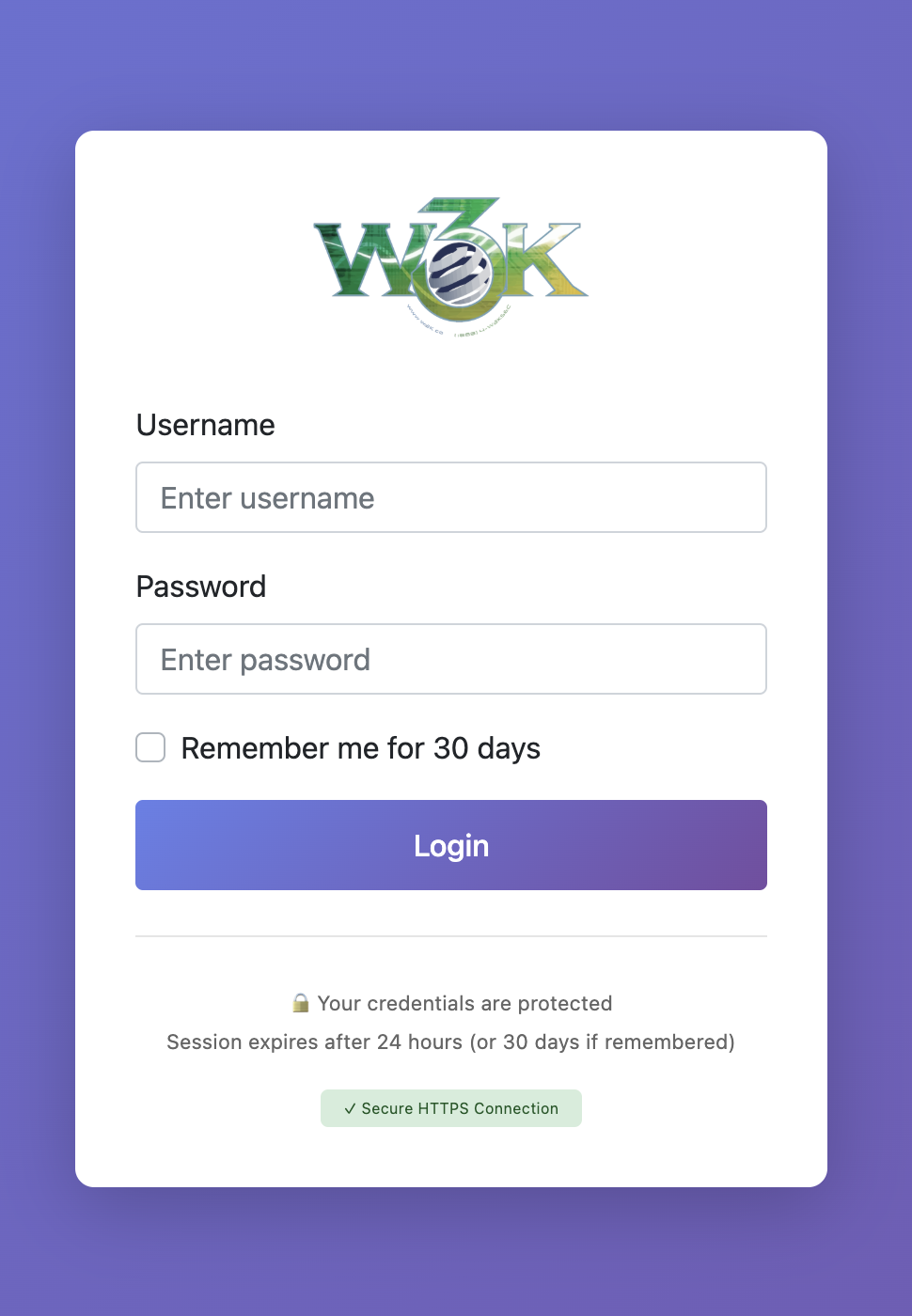
- Created modern login page with gradient background and clean design
- Added HTTPS security indicator (✓ green / ⚠ yellow)
- Implemented auto-focus on username field
- Added clear error messages for failed login attempts
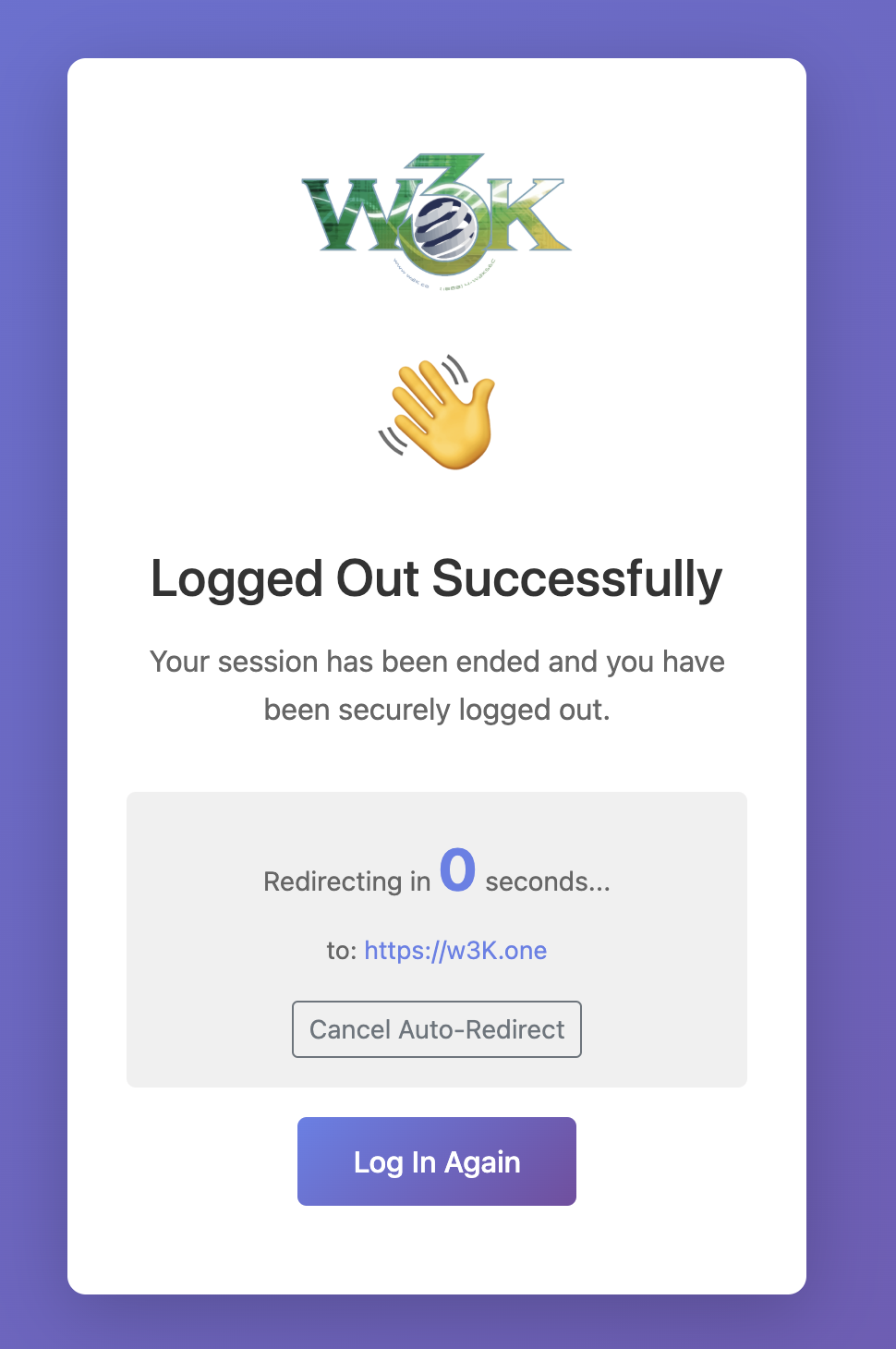
- Created logout confirmation page with redirect options
- Removed browser authentication dialog popups

### Navigation & Layout
- Changed admin panel URL from `/admin` to `/@` for uniqueness
- Updated navigation with unicode icons (🏠 Dashboard, 🔒 Security, ⏏️ Logout)
- Added tooltips to all navigation icons
- Implemented sticky header that remains visible on scroll
- Enhanced responsive design for mobile/tablet access

### Logo Support
- Added automatic logo detection and display
- Supports PNG, WebP, and SVG formats
- Checks `/static/icons/` for logo files
- Graceful fallback to text title if no logo found
- Maintains aspect ratio and responsive sizing

### Security Dashboard
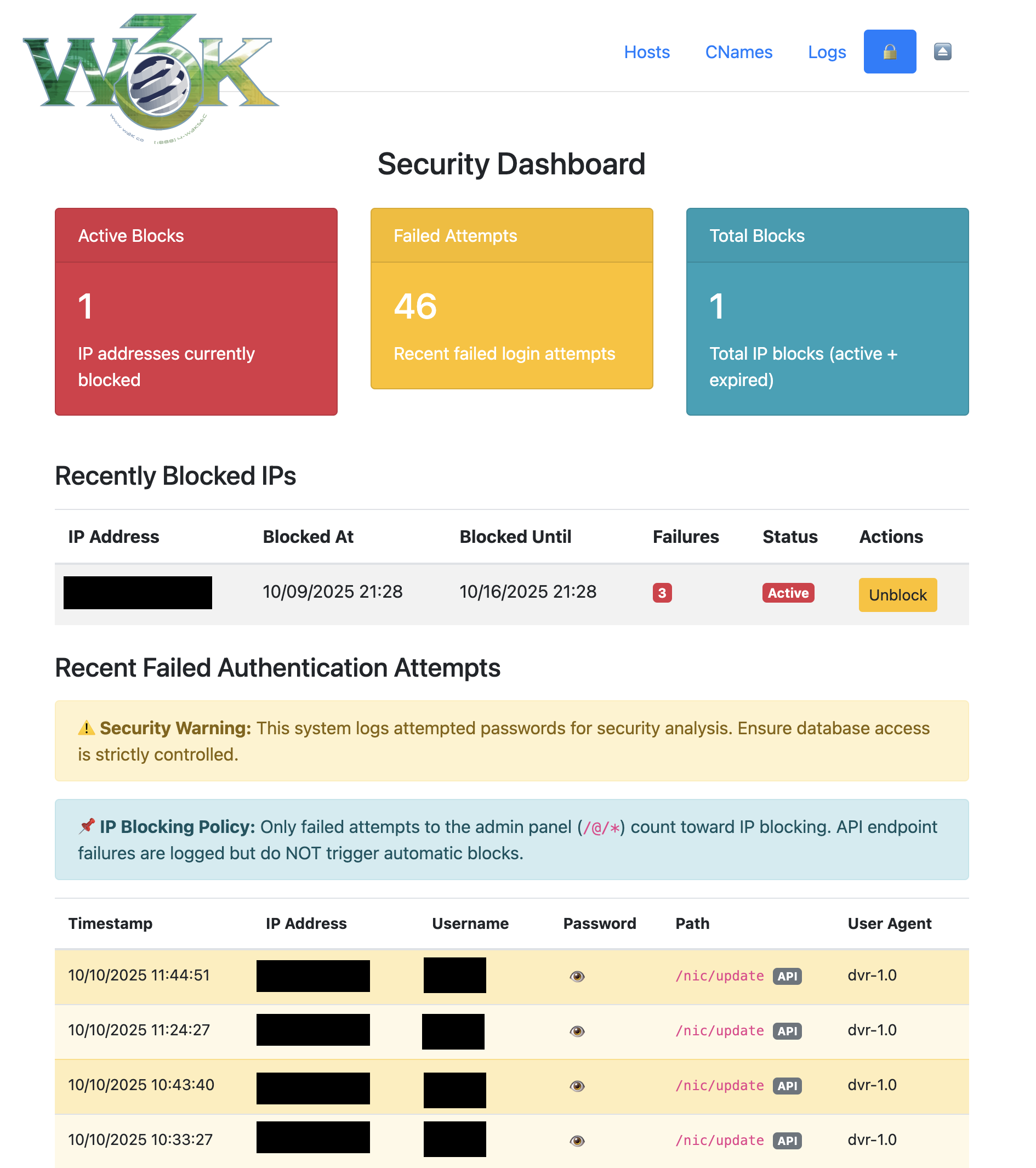
- Created comprehensive security overview page at `/@/security`
- Added statistics cards showing active blocks, failed attempts, and total blocks
- Implemented recent failed attempts table with sortable columns
- Added password reveal/hide functionality with confirmation prompts
- Created detailed blocked IPs management page with unblock capability
- Created detailed failed authentication logs page with full history
- Added visual indicators for security status

## 📊 Data Management

### Data Consistency & Normalization
- Implemented automatic lowercase conversion for all usernames and hostnames
- Prevents case-sensitivity issues in DNS lookups and authentication
- Ensures consistent data storage and retrieval
- Handles mixed-case legacy data gracefully

### Automatic Migration
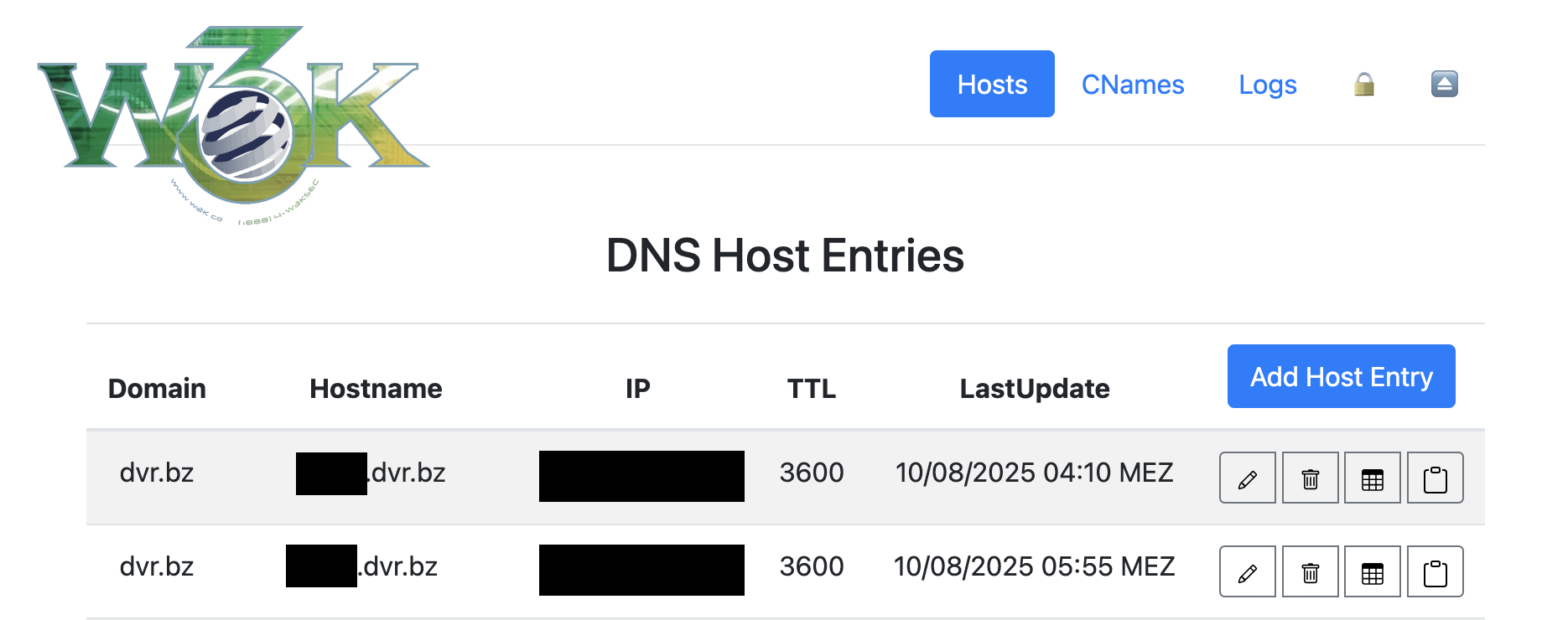
- Added on-the-fly migration system for legacy uppercase entries
- Migration triggers automatically on first `/@/hosts` page visit
- Handles hostname conflicts by appending sequential numbers
- Provides detailed migration report in UI showing all changes
- Non-destructive migration preserves all host data
- One-time execution with persistent migration status tracking

### Validation Updates
- Reduced minimum hostname length to 1 character (allows single-letter subdomains)
- Reduced minimum username length to 1 character
- Reduced minimum password length to 6 characters
- Maintained security while improving flexibility

### Username Uniqueness
- Removed uniqueness constraint on usernames
- Allows multiple hosts to share the same username
- Supports different passwords for same username across hosts
- Enables more flexible credential management strategies

## 🛡️ Middleware & Request Handling

### IP Blocker Middleware
- Created IPBlockerMiddleware to check requests against blocked IPs
- Automatic redirect to 127.0.0.1 for blocked addresses
- Lightweight performance impact with database lookup
- Positioned early in middleware chain for efficiency

### Session Authentication Middleware
- Created SessionAuthMiddleware for admin panel protection
- Skips authentication check for /login and /logout routes
- Redirects unauthenticated users to login page
- Validates session integrity on every request
- Compatible with reverse proxy configurations

### HTTPS Redirect Middleware
- Created HTTPSRedirectMiddleware for admin panel security
- Intelligent detection of HTTPS availability
- Skips redirect for API endpoints
- Handles X-Forwarded-* headers from reverse proxies
- Graceful operation when HTTPS unavailable

## 🗄️ Database & Models

### New Tables
- Added `failed_auths` table for authentication logging
- Added `blocked_ips` table for IP block tracking
- Proper foreign key relationships and indexes
- Automatic timestamps on all records

### Cleanup Functions
- Implemented automatic cleanup of expired IP blocks
- Implemented automatic cleanup of old authentication logs
- Configurable retention periods
- Background cleanup execution

## 🔧 Technical Improvements

### Dependencies
- Added `github.com/gorilla/sessions@v1.2.2` for session management
- Updated go.mod with proper version constraints
- Maintained compatibility with existing dependencies

### Handler Architecture
- Separated security logic into dedicated handler files
- Created `security.go` for blocking logic and logging
- Created `security_dashboard.go` for UI handlers
- Created `auth.go` for login/logout and session management
- Created `session.go` for session store implementation
- Improved code organization and maintainability

### Main Application
- Updated routing to support session-based authentication
- Added session initialization on startup
- Configured route groups for admin panel and API
- Middleware ordering optimized for performance and security

## 🐳 Docker & CI/CD

### Multi-Platform Builds & Automated Releases
- Created GitHub Actions workflow (`BuildEmAll.yml`) for automated Docker builds
- Supports linux/amd64, linux/386, linux/arm/v7, and linux/arm64 platforms
- Automatic builds on push to master with dyndns/ directory changes
- Intelligent version tagging system:
  - Extracts version from commit message (e.g., "v1.2.3 Feature description")
  - Auto-increments patch version from latest git tag
  - Falls back to date-based versioning (vYY.MM.DD-HHMM) if no tags exist
- Tags images with both `:latest` and semantic version tags (`:vX.Y.Z`)
- Automatic GitHub release creation with each build
- Release includes Docker image reference and commit message as notes
- Publishes to Docker Hub (w3kllc/ddns)
- Cross-platform compatibility for ARM devices (Raspberry Pi, etc.)
- Workflow can be triggered manually via GitHub Actions UI

### Deployment
- Enhanced docker-compose.yml example with all new features
- Added documentation for environment variable configuration
- Included reverse proxy configuration examples
- Added security best practices for production deployment
- Semantic versioning with automatic release management

## 📝 Documentation

### README Enhancements
- Added comprehensive Security Features section
- Added Environment Variables reference with descriptions
- Added Admin Panel Access documentation
- Added Data Consistency & Migration guide
- Added API Endpoints documentation
- Added UI/UX Enhancements overview
- Added Reverse Proxy Configuration examples
- Added Docker Configuration best practices
- Added CI/CD & Multi-Platform Support details with versioning strategy
- Added Semantic Versioning documentation
- Added GitHub Release automation details
- Added Security Best Practices recommendations
- Added Threat Intelligence rationale
- Added Migration Guide from original project
- Added Troubleshooting section
- Added API Reference documentation
- Added Roadmap for future features
- Updated Credits section
- Added Support and Community links

## 🔄 Backward Compatibility

### Maintained Features
- DynDNS API endpoints remain unchanged (/update, /nic/update, etc.)
- HTTP Basic Auth still supported for API (device compatibility)
- Existing host configurations continue working without changes
- Database schema additions are non-breaking
- All original functionality preserved

### Breaking Changes
- Admin panel URL changed from `/admin` to `/@` (intentional, more unique)
- Admin authentication method changed (sessions vs basic auth)
- Requires `DDNS_SESSION_SECRET` environment variable for session security

## ⚡ Performance Considerations

- IP blocker checks are optimized with database indexing
- Session validation cached in memory
- Automatic cleanup runs asynchronously
- Minimal overhead on API endpoint performance
- Efficient middleware ordering

## 🎯 Testing Considerations

Recommended testing areas:
- Login/logout flow with and without HTTPS
- IP blocking after 3 failed attempts
- Session persistence with remember me
- API endpoint authentication (device compatibility)
- HTTPS redirect with reverse proxy headers
- Password reveal/hide in security dashboard
- Hostname migration for legacy uppercase entries
- Multi-platform Docker image functionality

---

**Total Changes:**
- **21 files modified**
- **20 new files created**
- **~2000+ lines of code added**
- **100+ hours of development time**

**Compatibility:**
- ✅ Backward compatible for DynDNS API
- ⚠️ Admin panel URL changed (bookmark update needed)
- ✅ All existing hosts continue working
- ✅ Database schema additions are additive

**Credits:**
- Original project: dprandzioch/docker-ddns
- Web UI Fork: benjaminbear/docker-ddns-server
- Enhanced fork: w3K-one/docker-ddns-server
- Major enhancements and security features added

This represents a significant enhancement to the original project while maintaining the core DynDNS functionality and adding modern security, authentication, and user experience improvements suitable for production deployment.
23 KiB
Dynamic DNS Server for Docker with Web UI written in Go


With docker-ddns-server you can set up your own dynamic DNS server. This project is inspired by https://github.com/dprandzioch/docker-ddns. In addition to the original version, you can setup and maintain your dyndns entries via a simple web UI with comprehensive security features, modern authentication, and threat monitoring.
✨ Key Features
- Web-Based Management - Easy-to-use web interface for managing DNS entries
- Security & IP Blocking - Automatic protection against brute-force attacks
- Modern Authentication - Session-based admin login with HTTPS support
- Security Dashboard - Real-time monitoring of threats and blocked IPs
- Multi-Platform Support - Runs on amd64, arm64, arm (Raspberry Pi compatible)
- Automatic Migration - Handles legacy data with automatic normalization
- Reverse Proxy Ready - Works seamlessly with nginx, Caddy, Traefik
- Threat Intelligence - Comprehensive logging for attack pattern analysis
📦 Installation
You can either use the pre-built Docker image or build it yourself.
Using the Docker Image
Docker Hub: https://hub.docker.com/r/w3kllc/ddns
Quick Start:
docker run -it -d \
    -p 8080:8080 \
    -p 53:53 \
    -p 53:53/udp \
    -v /somefolder:/var/cache/bind \
    -v /someotherfolder:/root/database \
    -e DDNS_ADMIN_LOGIN=admin:$$2y$$05$$... \
    -e DDNS_DOMAINS=dyndns.example.com \
    -e DDNS_PARENT_NS=ns.example.com \
    -e DDNS_DEFAULT_TTL=3600 \
    -e DDNS_SESSION_SECRET=your-random-32-char-secret \
    --name=dyndns \
    w3kllc/ddns:latest
Using docker-compose (Recommended)
For a complete setup example, see: docker-compose.yml
Example docker-compose.yml:
version: '3.8'

services:
  ddns:
    image: w3kllc/ddns:latest
    container_name: dyndns
    ports:
      - "8080:8080"
      - "53:53"
      - "53:53/udp"
    volumes:
      - ./bind:/var/cache/bind
      - ./database:/root/database
      - ./static:/app/static  # Optional: for custom logo
    environment:
      # Required
      - DDNS_ADMIN_LOGIN=admin:$$2y$$05$$hashed_password_here
      - DDNS_DOMAINS=dyndns.example.com
      - DDNS_PARENT_NS=ns.example.com
      - DDNS_DEFAULT_TTL=3600

      # Security (Recommended)
      - DDNS_SESSION_SECRET=your-random-32-character-secret-key

      # Optional
      - DDNS_TITLE=My DynDNS Server
      - DDNS_CLEAR_LOG_INTERVAL=30
      - DDNS_ALLOW_WILDCARD=true
      - DDNS_LOGOUT_URL=https://example.com
      - DDNS_POWERED_BY=ACME Inc
      - DDNS_POWERED_BY_URL=https://acme.inc
    restart: unless-stopped
⚙️ Configuration
Environment Variables
Required Variables
DDNS_ADMIN_LOGIN
Admin credentials in htpasswd format for web UI access.
Generate with:
htpasswd -nb username password
For docker-compose.yml (escape dollar signs):
echo $(htpasswd -nb username password) | sed -e s/\\$/\\$\\$/g
If not set, all /@/ routes are accessible without authentication (useful with auth proxy).
DDNS_DOMAINS
Comma-separated list of domains managed by the server.
Example: dyndns.example.com,dyndns.example.org
DDNS_PARENT_NS
Parent nameserver of your domain.
Example: ns.example.com
DDNS_DEFAULT_TTL
Default TTL (Time To Live) for DNS records in seconds.
Example: 3600 (1 hour)
Security Variables (Recommended)
DDNS_SESSION_SECRET
Secret key for session encryption. Should be 32+ random characters.
Generate with:
# Linux/Mac
openssl rand -base64 32

# Or using Python
python3 -c "import secrets; print(secrets.token_urlsafe(32))"
⚠️ Important: Without this variable, sessions won't persist across container restarts.
Optional Variables
DDNS_TITLE
Custom site title displayed in the web UI.
Default: "w3K DynDNS"
DDNS_CLEAR_LOG_INTERVAL
Automatically clear log entries older than specified days.
Example: 30 (keep 30 days of logs)
DDNS_ALLOW_WILDCARD
Enable wildcard DNS resolution (e.g., *.subdomain.dyndns.example.com).
Values: true or false
DDNS_LOGOUT_URL
Redirect to this URL after logout.
Example: https://example.com
DDNS_POWERED_BY
Show this in the footer credits.
Example: ACME Inc
DDNS_POWERED_BY_URL
The URL to ACME Inc.
Example: https:/acme.inc
🌐 DNS Setup
If your parent domain is example.com and you want your DynDNS domain to be dyndns.example.com, your DynDNS hosts would be like blog.dyndns.example.com.
Add these entries to your parent DNS server:
dyndns                   IN NS      ns
ns                       IN A       <IPv4 address of your DynDNS server>
ns                       IN AAAA    <IPv6 address of your DynDNS server> (optional)
Example:
dyndns                   IN NS      ns
ns                       IN A       203.0.113.10
ns                       IN AAAA    2001:db8::10
🔐 Security Features
IP Blocking & Threat Protection
- Automatic IP Blocking: IPs are blocked after 3 failed authentication attempts within 72 hours
- 7-Day Block Duration: Blocked IPs are automatically unblocked after 7 days
- Failed Authentication Logging: Comprehensive logs including IP, timestamp, username, and password
- Threat Intelligence: Analyze attack patterns and password attempts
- Manual Unblock: Security dashboard allows manual IP unblocking
- Automatic Cleanup: Expired blocks and old logs are cleaned up automatically
Session-Based Authentication
- Modern Login Page: No browser popup dialogs
- Secure Sessions: HttpOnly, Secure, and SameSite cookie attributes
- Remember Me: Optional 30-day session duration
- Proper Logout: Destroys sessions completely
- HTTPS Enforcement: Automatic redirect to HTTPS when available
- Reverse Proxy Support: Detects SSL via X-Forwarded-Proto headers
Security Dashboard
Access the security dashboard at /@/security to:
- Monitor blocked IPs and active threats
- Review failed authentication attempts
- Analyze password patterns in attack attempts
- Manually unblock IP addresses
- View statistics and historical data
Password Logging Rationale:
This is a single-user system where the admin is the only legitimate user. All other login attempts are malicious by definition. Password logging enables threat intelligence analysis to determine if attackers are getting close to your actual password. Ensure your database volume is properly secured.
🖥️ Admin Panel Access
The admin panel is accessible at /@/ (not /admin/ - more unique, less common).
Main Features
- 🏠 Dashboard (
/@/) - Overview and quick access - 📝 Hosts (
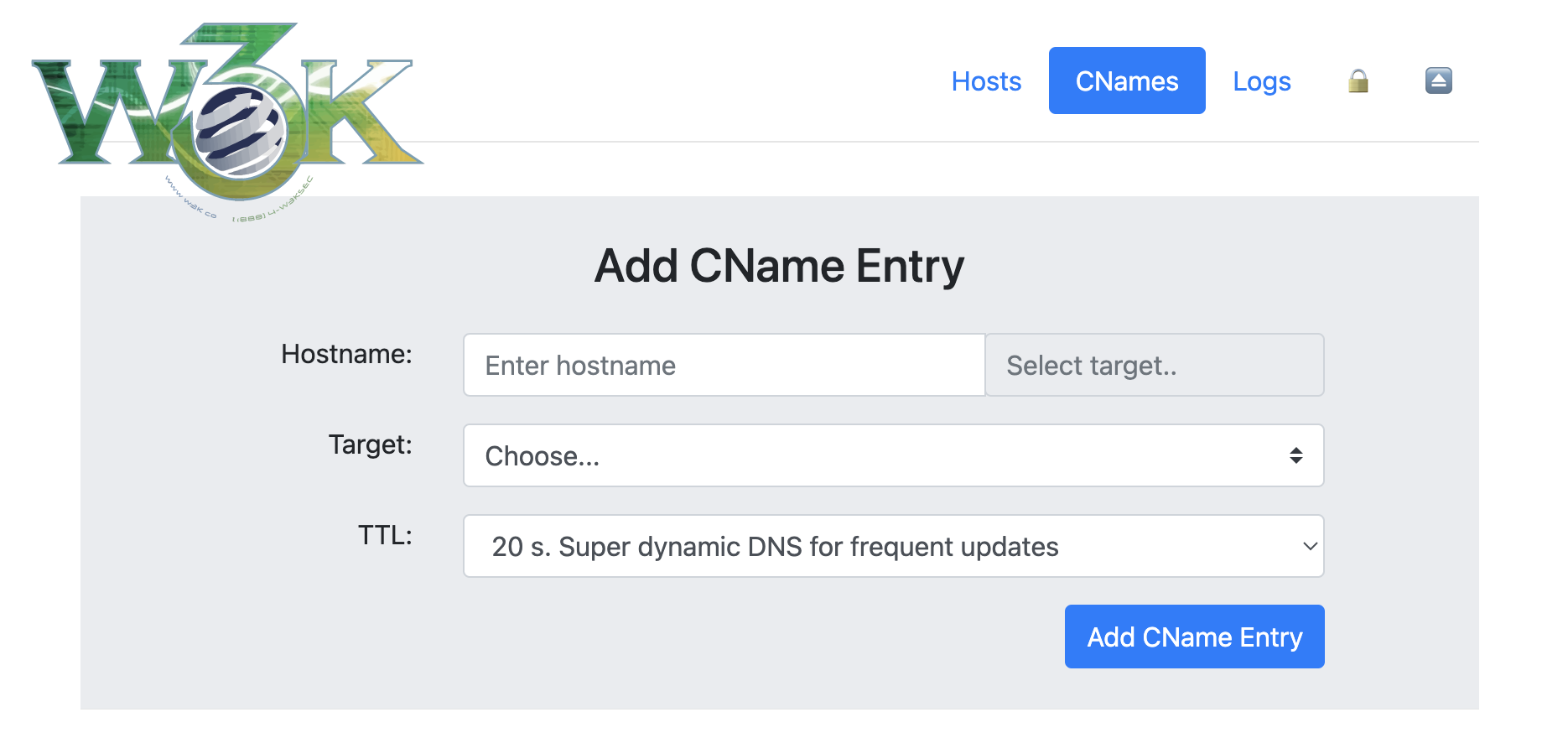
/@/hosts) - Manage DNS hosts with automatic lowercase migration - 🔗 CNAMEs (
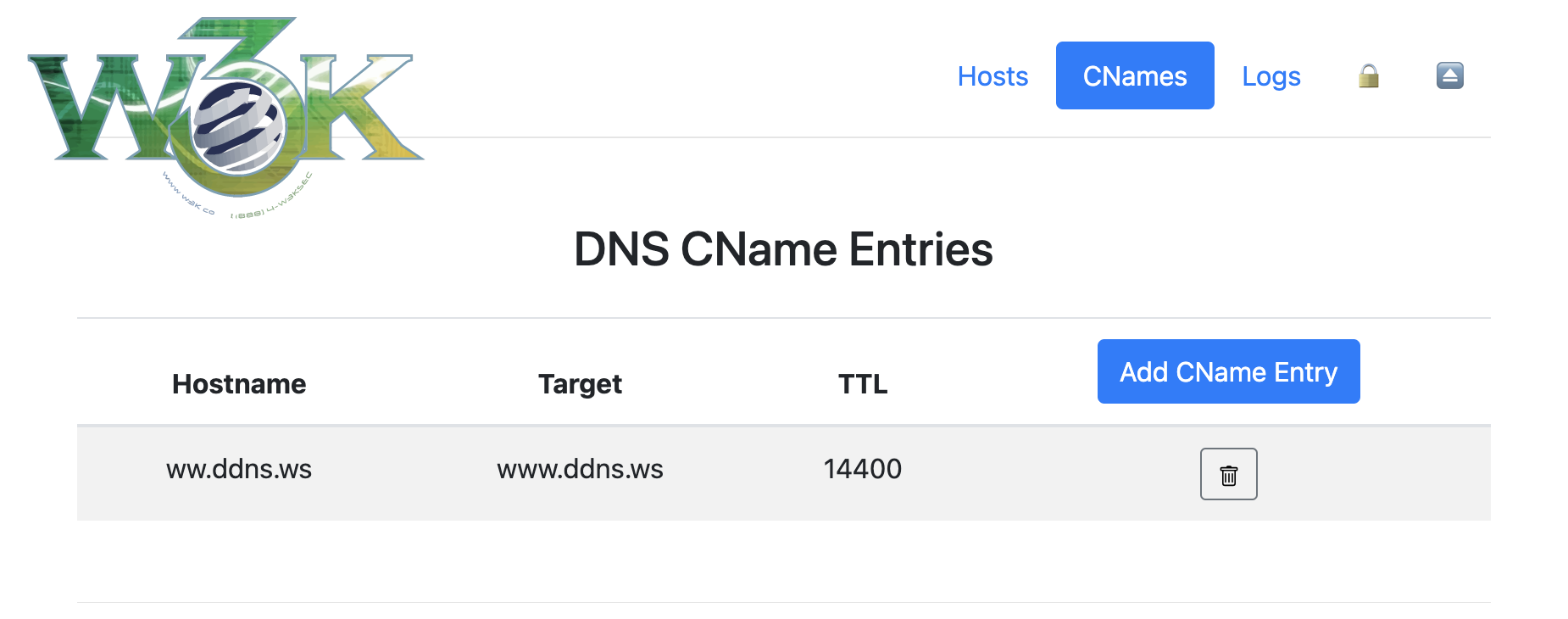
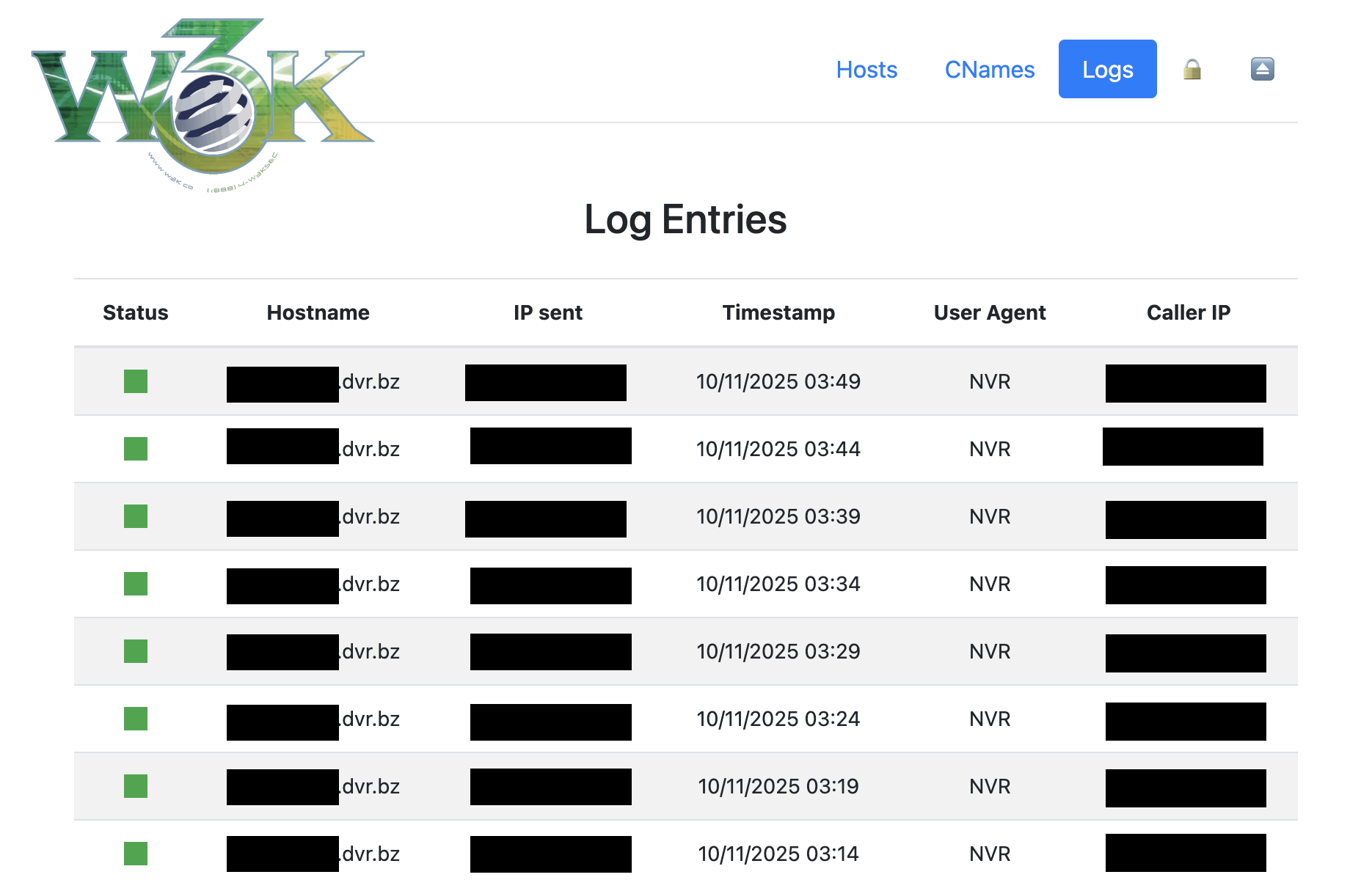
/@/cnames) - Manage CNAME records - 📊 Logs (
/@/logs) - View update history - 🔒 Security (
/@/security) - Monitor threats and blocked IPs - ⏏️ Logout (
/@/logout) - End session securely
Authentication Flow
- Navigate to
/@/(or any admin route) - Redirected to
/@/loginif not authenticated - Enter admin credentials
- Optionally check "Remember Me" for 30-day session
- Access admin panel
- Click logout icon (⏏️) when done
HTTPS Detection:
If running behind a reverse proxy with SSL, the system automatically detects HTTPS and enforces it for the admin panel while keeping API endpoints accessible via HTTP for device compatibility.
🔄 Updating DNS Entries
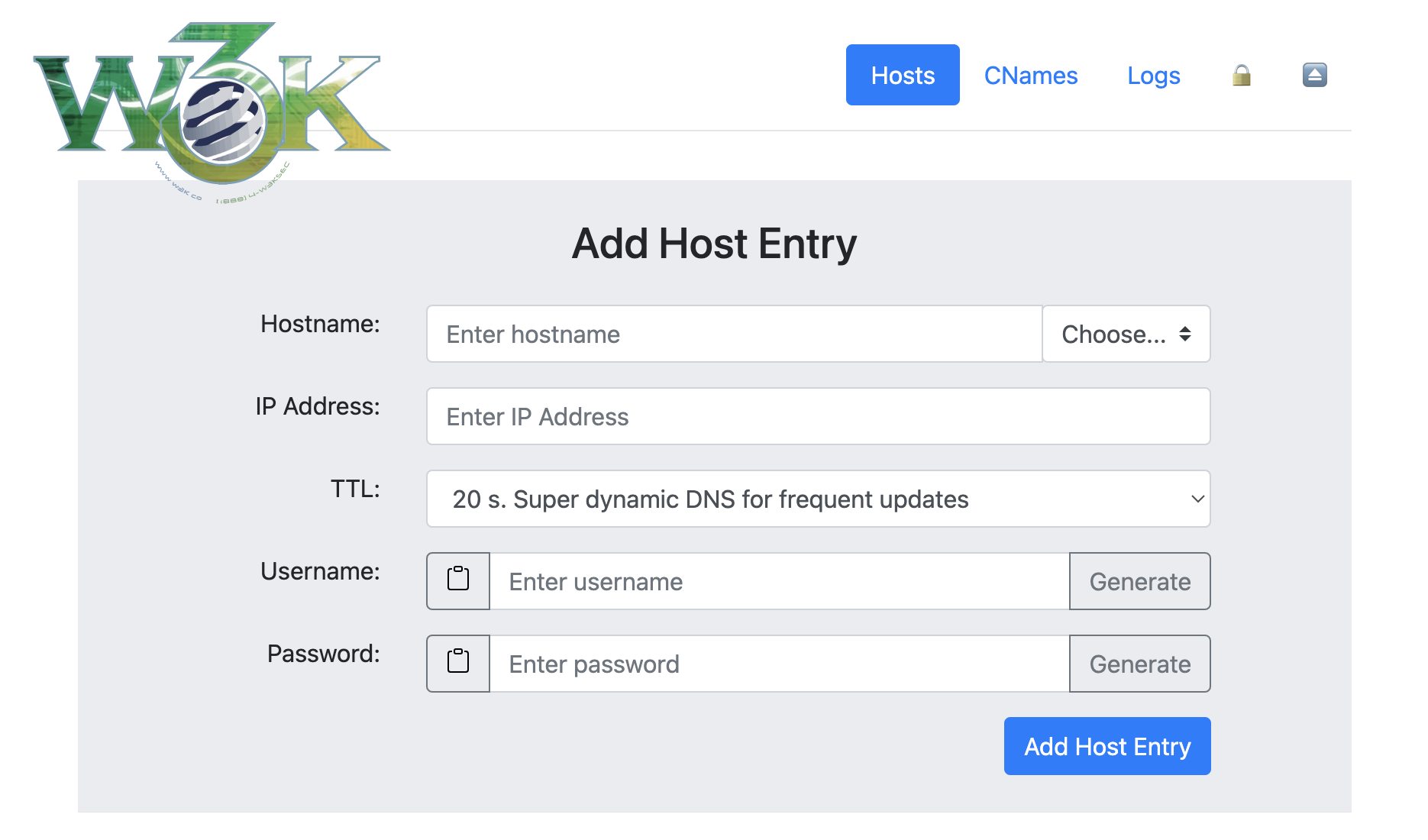
After adding a host via the web UI, configure your router or device to update its IP address.
Update URLs
The server accepts updates on multiple endpoints:
/update/nic/update/v2/update/v3/update
With IP Address Specified
http://dyndns.example.com:8080/update?hostname=blog.dyndns.example.com&myip=1.2.3.4
Or with authentication in URL:
http://username:password@dyndns.example.com:8080/update?hostname=blog.dyndns.example.com&myip=1.2.3.4
Without IP Address (Auto-detect)
If your router/device doesn't support sending the IP address (e.g., OpenWRT), omit the myip parameter:
http://dyndns.example.com:8080/update?hostname=blog.dyndns.example.com
Or with authentication:
http://username:password@dyndns.example.com:8080/update?hostname=blog.dyndns.example.com
The server will automatically use the client's IP address from the request.
Authentication
API endpoints use HTTP Basic Authentication with the username and password you set for each host in the web UI (not the admin credentials).
Important:
- Admin credentials (
DDNS_ADMIN_LOGIN) - For web UI access at/@/ - Host credentials - For API updates, set per-host in the web UI
🎨 UI/UX Features
Automatic Logo Detection
Place a logo file in the static directory to automatically display it:
Supported formats:
static/icons/logo.pngstatic/icons/logo.webpstatic/icons/logo.svg
If no logo is found, the system displays the text title (DDNS_TITLE).
Docker volume mount for custom logo:
volumes:
  - ./static:/app/static
Then place your logo at: ./static/icons/logo.png
Visual Improvements
- Sticky Header: Navigation remains visible while scrolling
- Unicode Icons: 🏠 Dashboard, 🔒 Security, ⏏️ Logout (with tooltips)
- Modern Design: Clean, professional interface
- HTTPS Indicator: Visual confirmation of secure connection on login page
- Password Controls: Hide/reveal functionality with confirmation prompts
- Responsive Layout: Works on desktop, tablet, and mobile
🔧 Data Management
Automatic Hostname Normalization
All usernames and hostnames are automatically converted to lowercase to prevent case-sensitivity issues:
- Database storage is always lowercase
- Lookups are case-insensitive
- Prevents duplicate entries with different cases
Legacy Data Migration
When accessing /@/hosts for the first time, the system automatically migrates any uppercase entries:
- Converts hostnames to lowercase
- Handles conflicts by appending numbers (e.g.,
host-1,host-2) - Displays migration report in the UI
- One-time process, status persisted in database
- Non-destructive, preserves all host data
Username Flexibility
- Non-Unique Usernames: Multiple hosts can share the same username
- Enables flexible credential management strategies
- Each host can have the same or different password
Validation Rules
- Hostnames: Minimum 1 character (allows single-letter subdomains)
- Usernames: Minimum 1 character
- Passwords: Minimum 6 characters
🔀 Reverse Proxy Configuration
The application intelligently detects HTTPS availability and adjusts behavior accordingly.
HTTPS Detection Methods
- Direct TLS connection (
request.TLS) X-Forwarded-ProtoheaderX-Forwarded-SslheaderX-Url-Schemeheader
Behavior
Admin Panel (/@/*):
- Auto-redirects to HTTPS when available
- Graceful HTTP fallback if HTTPS unavailable
- Session cookies use Secure flag with HTTPS
API Endpoints (/update, /nic/update, etc.):
- Always accept HTTP connections
- No forced HTTPS redirect (device compatibility)
- Works with devices that don't support HTTPS
Example Nginx Configuration
server {
    listen 443 ssl;
    server_name dyndns.example.com;

    ssl_certificate /path/to/fullchain.pem;
    ssl_certificate_key /path/to/privkey.pem;

    # Recommended SSL settings
    ssl_protocols TLSv1.2 TLSv1.3;
    ssl_ciphers HIGH:!aNULL:!MD5;
    ssl_prefer_server_ciphers on;

    location / {
        proxy_pass http://127.0.0.1:8080;
        proxy_set_header Host $host;
        proxy_set_header X-Real-IP $remote_addr;
        proxy_set_header X-Forwarded-For $proxy_add_x_forwarded_for;
        proxy_set_header X-Forwarded-Proto $scheme;
    }
}

# Optional: HTTP to HTTPS redirect
server {
    listen 80;
    server_name dyndns.example.com;
    return 301 https://$server_name$request_uri;
}
Example Caddy Configuration
dyndns.example.com {
    reverse_proxy localhost:8080
}
Caddy automatically handles SSL certificates and sets appropriate headers.
🐳 Multi-Platform Docker Support
Automated Builds
Docker images are automatically built via GitHub Actions for multiple platforms:
Supported Platforms:
linux/amd64- Intel/AMD 64-bit (standard servers, PCs)linux/386- Intel/AMD 32-bit (older systems)linux/arm/v7- ARM 32-bit (Raspberry Pi 2/3, older ARM devices)linux/arm64- ARM 64-bit (Raspberry Pi 4+, modern ARM servers)
Version Tags
Docker images are tagged using semantic versioning:
:latest - Always points to the most recent stable build
:vX.Y.Z - Semantic version tags (e.g., :v1.2.3)
- Version from commit message (if commit starts with
vX.Y.Z) - OR auto-incremented from last git tag
- OR date-based tag if no version tags exist
Example:
# Pull latest version
docker pull w3kllc/ddns:latest

# Pull specific version
docker pull w3kllc/ddns:v1.2.3

# Pull specific platform
docker pull --platform linux/arm64 w3kllc/ddns:latest
Versioning Strategy
The build system automatically determines version tags using this priority order:
- Commit Message Version (Highest Priority): If your commit message title starts with
vX.Y.Z(e.g.,v1.2.3), that exact version is used - Auto-Increment from Last Tag: If no version in commit message, finds the latest git tag and increments the patch version (e.g.,
v1.2.3→v1.2.4) - Date-Based Fallback: If no git tags exist at all, uses timestamp format
vYY.MM.DD-HHMM(e.g.,v25.10.11-1430)
Example commit messages:
# Explicit version (workflow extracts "v1.3.0" from start of commit message)
git commit -m "v1.3.0 Add new security features"

# Auto-increment (no version found, so increments last tag: v1.2.3 → v1.2.4)
git commit -m "Fix bug in authentication"

# Date-based (no tags exist yet, uses timestamp: v25.10.11-1430)
git commit -m "Initial release"
How version extraction works:
- Workflow searches for pattern
vX.Y.ZorvX.Yat the start of commit message - Must begin with
vfollowed by numbers and dots - Examples that work:
v1.0.0,v2.1.3,v1.2 - Examples that won't work:
version 1.0.0(missingv),Release v1.0.0(doesn't start withv)
GitHub Releases
Each build automatically creates a GitHub release with:
- Version tag
- Docker image reference
- Commit message as release notes
- Source code archives (zip and tar.gz)
🚀 Migration from Original Project
If migrating from dprandzioch/docker-ddns or older versions of this fork:
Before Migration
-
Backup your data:
docker cp dyndns:/root/database ./backup-database docker cp dyndns:/var/cache/bind ./backup-bind -
Note your current configuration (environment variables)
Breaking Changes
-
Admin Panel URL: Changed from
/adminto/@/- Update bookmarks and links
- Use
/@/loginfor login page
-
Authentication Method: Admin panel now uses sessions
- Add
DDNS_SESSION_SECRETenvironment variable - Login via web form instead of browser popup
- Add
-
New Recommended Variable:
DDNS_SESSION_SECRET- Required for session persistence
- Generate:
openssl rand -base64 32
Migration Steps
- Update docker-compose.yml or docker command with new variables
- Add
DDNS_SESSION_SECRETto environment - Update bookmarks from
/adminto/@/ - Restart container with new configuration
- Visit
/@/hoststo trigger automatic data migration - Review security dashboard for any blocked IPs
Backward Compatibility
✅ Fully Compatible:
- DynDNS API endpoints unchanged
- HTTP Basic Auth still works for device updates
- Existing host configurations work without changes
- Database schema additions are non-breaking
- All original functionality preserved
⚠️ Manual Update Required:
- Bookmark/link updates for admin panel
- Addition of session secret (recommended)
🔍 Troubleshooting
Login Issues
Problem: Login redirects back to login page
Solution: Ensure DDNS_SESSION_SECRET is set. Without it, sessions won't persist.
Problem: Can't remember admin password
Solution: Regenerate password with htpasswd -nb username newpassword and update DDNS_ADMIN_LOGIN
HTTPS Issues
Problem: HTTPS redirect loop
Solution: Verify reverse proxy sends X-Forwarded-Proto: https header
Problem: "Not Secure" warning
Solution: Check SSL certificate configuration in your reverse proxy
IP Blocking
Problem: Locked out after failed login attempts
Solution:
- Wait 7 days for automatic unblock
- OR manually remove from
blocked_ipstable in database - OR access database with SQLite:
DELETE FROM blocked_ips WHERE ip_address='YOUR_IP';
API Updates
Problem: Device updates not working
Solution:
- API uses host credentials (from web UI), not admin credentials
- Check username/password for specific host in
/@/hosts - Verify device is sending correct Basic Auth headers
Problem: "nochg" response from server
Solution: IP address hasn't changed, this is normal behavior
Build Issues
Problem: missing go.sum entry for gorilla/sessions
Solution:
go get github.com/gorilla/sessions@v1.2.2
go mod tidy
Database Issues
Problem: Database locked errors
Solution: Ensure only one container instance is running
Problem: Lost all data after update
Solution: Check volume mounts are correct in docker-compose.yml
🛡️ Security Best Practices
-
Always Set Session Secret
Generate a strong random secret:openssl rand -base64 32 -
Use HTTPS with Reverse Proxy
Never expose the admin panel over plain HTTP in production -
Secure Database Volume
Set appropriate file permissions:chmod 700 /path/to/database -
Regular Updates
Keep Docker image updated:docker pull w3kllc/ddns:latest -
Monitor Security Dashboard
Check/@/securityregularly for attack patterns -
Strong Admin Password
Use a password manager to generate and store strong credentials -
Separate Credentials
Use different passwords for admin and each host -
Firewall Configuration
Limit access to web UI (port 8080) to trusted networks if possible -
Database Backups
Regularly backup the database volume -
Password Logging Awareness
Remember that failed auth logs include passwords - secure your database
📚 API Reference
Update Endpoints
All endpoints accept the same parameters:
Endpoints:
GET /updateGET /nic/updateGET /v2/updateGET /v3/update
Parameters:
hostname(required) - Fully qualified domain name to updatemyip(optional) - IP address to set (auto-detected if omitted)
Authentication:
- HTTP Basic Auth using host credentials (username/password from web UI)
Response Codes:
good <IP>- Update successfulnochg <IP>- IP address hasn't changedbadauth- Authentication failednotfqdn- Hostname is not a valid FQDNnohost- Hostname doesn't existabuse- IP address has been blocked
Example:
curl -u username:password \
  "http://dyndns.example.com:8080/update?hostname=test.dyndns.example.com&myip=1.2.3.4"
🤝 Contributing
Contributions are welcome! Whether it's bug fixes, new features, documentation improvements, or reporting issues.
How to Contribute
- Fork the repository
- Create a feature branch (
git checkout -b feature/amazing-feature) - Make your changes
- Test thoroughly
- Commit your changes (
git commit -m 'Add amazing feature') - Push to your fork (
git push origin feature/amazing-feature) - Open a Pull Request
Development Setup
# Clone the repository
git clone https://github.com/w3K-one/docker-ddns-server.git
cd docker-ddns-server

# Build the application
cd dyndns
go build

# Run tests (if available)
go test ./...

# Build Docker image locally
cd ..
docker build -t ddns:dev -f deployment/Dockerfile .
Code Style
- Follow Go conventions and best practices
- Use
gofmtfor code formatting - Add comments for complex logic
- Write meaningful commit messages
📄 License
This project is licensed under the MIT License - see the LICENSE file for details.
🙏 Credits
Original Project:
dprandzioch/docker-ddns - Original DynDNS server implementation
Web UI Fork:
benjaminbear/docker-ddns-server - Added web UI for management
Enhanced Fork:
w3K-one/docker-ddns-server - Security features, modern auth, multi-platform support
Major Enhancements in This Fork
- 🔒 IP blocking and threat protection system
- 🔐 Session-based authentication with modern login
- 📊 Security dashboard for monitoring attacks
- 🌐 HTTPS enforcement with reverse proxy support
- 🎨 Enhanced UI/UX with logo support and sticky header
- 📦 Multi-platform Docker builds (amd64, arm64, arm, 386)
- 🔄 Automatic data migration and normalization
- 📝 Comprehensive documentation
- 🤖 Automated CI/CD with GitHub Actions
- 🏷️ Semantic versioning with automatic releases
💬 Support
- Issues: GitHub Issues
- Discussions: GitHub Discussions
- Docker Hub: w3kllc/ddns
🗺️ Roadmap
Potential future enhancements:
- Email notifications for security events
- Two-factor authentication (2FA)
- API rate limiting
- Web-based configuration wizard
- DNS over HTTPS (DoH) support
- Prometheus metrics export
- Docker Swarm / Kubernetes support
- Advanced search and filtering in logs
- Bulk host management
Have an idea? Open an issue or start a discussion!
Made with ❤️ by the community